 listicle
Website and Phone System for Contractors: 2026 Guide
Table of Contents
- What a Combined Website and Phone System Does for Your Trade Business
- Feature Comparison: Top Phone Systems for Contractors
- SignatureCloud AI: Built for HVAC, Plumbing, and Electrical Calls
- Nextiva and RingCentral: Scalable VoIP Options for Growing Crews
- How to Manage Emergency HVAC Calls Without Missing a Lead
- Automated Lead Capture for Contractors Working in the Field
- Hardware Durability and Emergency Protocols Most Providers Ignore
- Which Phone System Should You Pick?
- Frequently Asked Questions
Last Updated: September 8, 2026
A contractor’s phone system is the difference between a booked week and a missed opportunity, yet most trade businesses treat it as an afterthought. When you are on a roof or knee-deep in a crawlspace, every unanswered call is a lead that dials your competitor next. A website and phone system for contractors should work together to capture those inquiries automatically, so your business continuity doesn’t depend on being physically near a desk.
This guide from SignatureCloud AI focuses on the practical intersection of field operations and client communication: automated answering, call routing, mobile integration, and the hardware realities of job site communication. You will learn which features justify their cost and which ones are marketing fluff.
The core tension is simple. Generic VoIP platforms sell you a dial tone; trade-specific systems sell you a lead capture machine. Below, we break down the difference and show you exactly how to match a platform to your crew size, call volume, and service area.
What a Combined Website and Phone System Does for Your Trade Business
A combined website and phone system is a single digital infrastructure that captures inbound leads from your site and routes them through an internet-based calling platform to your team, wherever they are. The value is that no inquiry goes unanswered, even at 2 AM when a water heater fails or a circuit breaker trips.
For a solo plumber, this might mean a virtual phone number on your website that forwards to your cell after hours. For a 20-truck electrical firm, it means automated call routing that dispatches emergency calls to the on-call tech while sending routine inquiries to voicemail or an AI attendant (fcc.gov). The unifying thread is that cloud-based telephony eliminates the old landline-and-notebook workflow.
Most providers now bundle a basic website or click-to-call widget with their phone plans. That integration matters because lead follow-up speed directly affects win rates. When a homeowner submits a form on your site at 11 PM, an automated system can confirm receipt instantly and schedule a callback window, which builds professionalism before you ever speak to them.
That explains the theory. Here is where most strategies fall apart: choosing a generic platform that lacks the call analytics or dispatching features your trade actually needs.
Feature Comparison: Top Phone Systems for Contractors
The best phone system for contractors depends on crew size, seasonal call spikes, and whether you need AI answering or just reliable forwarding. To make the decision concrete, here is a side-by-side look at the leading options.
| Platform | Starting Price | Best For | Standout Feature |
|---|---|---|---|
| SignatureCloud AI | Custom quote | HVAC, plumbing, electrical trades | 24/7 AI phone system + website bundle |
| Nextiva | $15/user/mo | Growing crews needing scalability | Unlimited VoIP calling, CRM integration |
| RingCentral | $20/user/mo | Mobile-heavy teams | Advanced call routing, strong mobile app |
| Ultatel | Contact for pricing | Construction firms | AI voice agent for subcontractor coordination |
| Intermedia | $20/user/mo | Reliability-focused businesses | 99.999% uptime guarantee |
A common mistake is buying the cheapest per-user plan without checking whether the platform supports after-hours automation. Most enterprise VoIP providers offer an auto-attendant, but configuring it to handle emergency HVAC calls requires either a paid add-on or a complex IVR tree that takes hours to build (fcc.gov).
For solo operators, the math favors simplicity. A multi-line system with call recording and CRM integration is overkill when you just need missed calls converted to text messages or scheduled callbacks. For larger firms, however, those features become essential for tracking dispatches and proving response times to commercial clients.
The real difference between platforms comes down to vertical specialization. Generic providers give you a toolkit; trade-focused systems hand you a finished solution.
SignatureCloud AI: Built for HVAC, Plumbing, and Electrical Calls
SignatureCloud AI pairs a professional website with a 24/7 AI phone system designed specifically for the questions your customers ask. This system understands trade terminology, so when a caller asks about emergency service areas or after-hours rates, the AI responds accurately instead of fumbling for a script.
The platform solves the core problem of missed leads during peak seasons. When summer heat drives HVAC call volumes up, the AI answers every line simultaneously, collects the customer's issue, and schedules a callback for your next available tech. This automated lead capture for contractors means a burst of calls becomes a queue of booked appointments rather than a string of voicemails.
What most reviews miss is how the website component closes the loop. Your site becomes the hub: customers can check service areas, read FAQs, and trigger a call through a click-to-call button that routes straight into the same AI system. That unified communications approach prevents the classic disconnect where a website generates leads but the phone system drops them.
The one honest limitation is that SignatureCloud AI is not built for general construction or remodeling firms. If you do not run an HVAC, plumbing, or electrical business, a broader platform is a better fit. For the trades it targets, however, the specialization is exactly the point.
Nextiva and RingCentral: Scalable VoIP Options for Growing Crews
For contractors who need a general-purpose VoIP backbone rather than a trade-specific AI, there are scalable options available. These deliver reliable cloud-based telephony with mobile apps.
Neither platform addresses the specific pain of emergency HVAC call management out of the box. You can build an IVR tree to handle it, but that requires technical configuration and ongoing maintenance.
How to Manage Emergency HVAC Calls Without Missing a Lead
Managing emergency HVAC calls requires a triage system that separates urgent failures from routine maintenance requests before a human ever picks up. Without this layer, an August heatwave can overwhelm a two-person office with calls about both broken AC units and annual tune-ups.
A practical approach is to configure your phone system with an automated attendant that asks callers to select their issue type. Emergency calls route to the on-call tech's mobile phone; non-urgent requests route to a booking queue or an AI scheduler. This call routing logic ensures that a burst of calls does not bury the one call that matters.
The critical detail is defining what counts as an emergency. For HVAC, that typically means no cooling in extreme heat, no heating in freezing conditions, or gas leaks (osha.gov). For plumbing, it is burst pipes and sewage backups. Your system needs a script that captures the customer's address and the nature of the failure so the responding tech arrives prepared.
Emergency communication protocols should also include an escalation path. If the on-call tech does not answer within two rings, the system should forward to a backup number or trigger an automated text message to the dispatcher. This redundancy is what separates a professional operation from one that loses clients to a competitor with better availability.
Automated Lead Capture for Contractors Working in the Field
Automated lead capture for contractors is the process of converting inbound website visits and phone calls into structured, actionable leads without manual data entry. When you are finishing a job across town, the system should be logging inquiries, capturing contact details, and updating your schedule in real time.
The mechanics are straightforward. A caller dials your virtual phone number, the AI answers with your business name, asks what service they need, and records their callback number. That data populates a lead log that you review at the end of the day or that syncs directly to your CRM. Text messaging follow-ups can confirm appointment windows and send service reminders.
Field operations benefit most from this automation. Instead of pulling over to return voicemails between jobs, you check a prioritized list of confirmed leads. The system handles the back-and-forth of scheduling, which is often where small shops lose momentum.
A practical implementation tip: connect your phone system to your project management software. When a lead converts to a booked job, it should automatically create a work order with the customer's address, issue description, and preferred time window. This integration eliminates the double-entry that plagues many trade businesses.
Hardware Durability and Emergency Protocols Most Providers Ignore
Most phone system reviews ignore hardware entirely, yet your devices take a beating on active job sites. A standard office desk phone will not survive dust, drops, or temperature swings in a truck cab. Ruggedized VoIP phones and protective cases for mobile devices are not optional accessories; they are operational necessities.
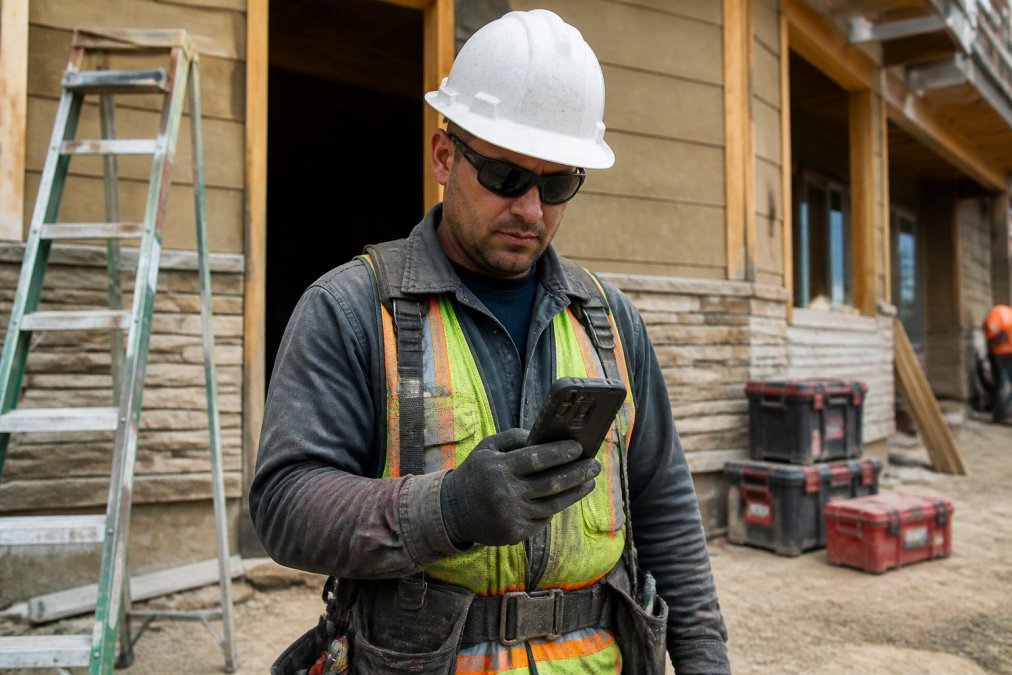
The practical question is whether your team uses desk phones, mobile apps, or both. For field crews, the mobile app is primary, so device durability matters more than the phone hardware. A shockproof case and a screen protector rated for outdoor use will extend the life of a field phone significantly. For office staff, a basic VoIP desk phone from a major manufacturer is sufficient; there is no need for premium models with features nobody uses.
Emergency protocols extend beyond call routing to data security and backup power. A cloud-based system is only as reliable as your internet connection, so a cellular failover for your office line is worth the small monthly cost. Your provider should also offer call recording, which creates a verifiable log of what the customer was told during an emergency dispatch.
For sole proprietors, the cost-benefit analysis is different than for large firms. A solo operator can rely on a single ruggedized phone with a reliable carrier. A firm with multiple trucks needs a centralized system with redundant routing and a clear chain of command for after-hours emergencies.
Which Phone System Should You Pick?
The right phone system for contractors comes down to three questions: your trade, your crew size, and whether you need AI answering or just reliable call forwarding.
For HVAC, plumbing, and electrical contractors who want a turnkey solution with a website included, SignatureCloud AI is the strongest pick. The 24/7 AI phone system handles the specific questions your customers ask, and the bundled website ensures your lead capture infrastructure works as one unit. Pricing is quote-based, so you pay for the features you actually use rather than a per-seat license you will not fully use.
For growing firms that need a general VoIP backbone with strong mobile apps and CRM integration, there are scalable options available.
For construction companies managing subcontractor coordination rather than residential service calls, there are specialized AI voice agents worth evaluating. Other platforms focus on reliability if uptime and security outweigh niche trade features.
A final consideration: do not underestimate the value of call analytics. Tracking missed calls, average answer time, and peak inquiry hours gives you concrete data for staffing decisions. A phone system that cannot report these numbers is a liability, no matter how clear the voice quality is.
Choosing the right phone system for contractors is about matching the platform to how your crew actually works in the field. SignatureCloud AI combines a 24/7 AI answering system with a professional website built for HVAC, plumbing, and electrical contractors, so you never miss a customer during peak call windows or after hours. The platform automates lead capture, schedules callbacks, and routes emergency calls to the right tech, all without requiring a dedicated office manager. Get started with SignatureCloud AI and turn every missed call into a booked job.
Frequently Asked Questions
Does a contractor really need a professional website?
Yes. Most homeowners search online before calling a trade business. A professional website with your services, service areas, and clear contact options builds trust and filters out low-quality inquiries. Pairing that site with a phone system that answers 24/7 means you capture the lead while they are still comparing options, rather than losing them to a competitor who picks up.
How do AI phone systems help contractors capture more leads?
AI phone systems answer every call instantly, even when you are on a job or off the clock. They can qualify the caller, capture their address and issue, and schedule an appointment directly into your calendar. For contractors, this automated lead capture prevents missed calls from turning into lost revenue, especially during peak seasons when you cannot answer while your hands are on a wrench.
What features should a contractor look for in a business phone system?
Prioritize automated call routing, mobile app access, and integration with your website and CRM. You also need call forwarding so after-hours calls reach the right person, and voicemail-to-text so you can screen messages quickly. If you run a solo operation, confirm the system scales affordably; if you manage crews, look for multi-line support and user management for seasonal hires.
Can I set up my own VoIP system for my contracting business?
You can, but DIY setups often fail because they lack the automated features that actually save contractors time. A basic VoIP line still requires someone to answer it. Managed systems designed for contractors include AI attendants that handle common questions, schedule appointments, and route urgent calls to you. The setup cost difference is minor compared with the cost of missing a $5,000 job because no one answered.