 how-to
How to Automate HVAC Customer Scheduling
Table of Contents
- Why HVAC Scheduling Automation Matters
- Step 1: Set Up HVAC Online Booking on Your Website
- Step 2: Deploy an AI Receptionist for HVAC Companies
- Step 3: Enable HVAC Appointment Reminder Automation
- Step 4: Integrate HVAC Scheduling Software with Dispatch
- Step 5: Measure Results and Optimize
- Common Mistakes to Avoid
- Frequently Asked Questions
Last Updated: October 10, 2026
Why HVAC Scheduling Automation Matters
Most HVAC contractors still book appointments manually instead of choosing to automate HVAC customer scheduling, writing details on paper and hoping nothing falls through the cracks. This costs you money and customers.
Automate HVAC customer scheduling and you capture every lead after hours, reduce paperwork, and give customers instant confirmations instead of callbacks.
Contractors who automate scheduling see fewer missed calls, lower no-show rates, and faster response times.
SignatureCloud AI's 24/7 AI phone system handles calls automatically, books appointments, answers questions, and sends confirmations.
This guide covers five steps: online booking, AI receptionists, appointment reminders, dispatch integration, and measurement.
Step 1: Set Up HVAC Online Booking on Your Website
Your website should let customers book appointments without calling. Customers book at midnight; you wake up to confirmed appointments.
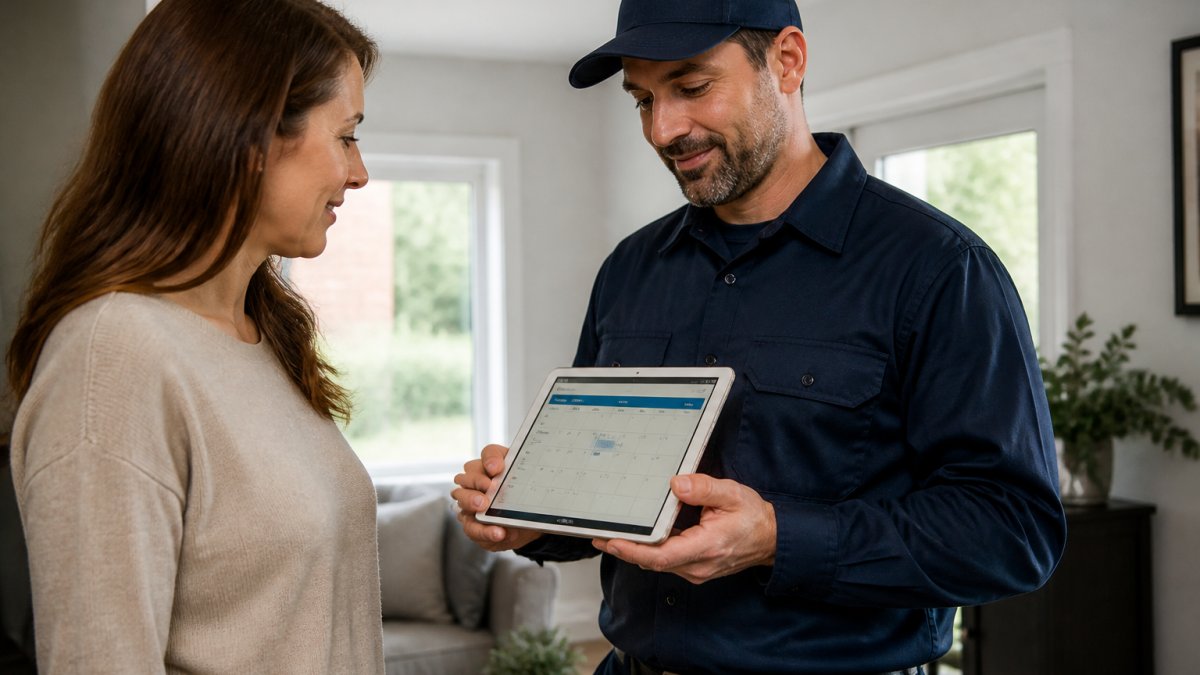
Choose the right booking platform for your business
Pick a platform built for service businesses with fields for service type, urgency level, and customer contact details. It should sync with your calendar and show real technician availability.
Look for: real-time availability tied to technician schedules, mobile-friendly design, integration with your calendar or dispatch system, customizable service types, and upfront customer information collection.
Configure service types and appointment windows
Create service categories: maintenance visits (1-hour), repair calls (2-hour), emergency calls (immediate), and installations (requires estimate first).
Set realistic appointment windows (2.5 hours for 2-hour repairs) to prevent double-booking. Show only slots your team can handle.
Step 2: Deploy an AI Receptionist for HVAC Companies
An AI receptionist answers calls 24/7, qualifies leads, books appointments, and handles routine questions.
Train your AI system to handle common customer questions
Train the AI on HVAC-specific questions: service area, emergency fees, availability, repair duration, and maintenance plans.
Train the system with your actual answers. This honesty builds trust and filters out bad-fit customers early.
Connect phone intake to your scheduling system
When the AI books an appointment, it flows directly into your system with no manual data entry. The appointment appears on your technician's calendar instantly, synced to your dispatch software.
Step 3: Enable HVAC Appointment Reminder Automation
Automated reminders reduce no-shows, which cost you time and revenue.
Set up multi-channel reminders (SMS, email, phone)
Send reminders via text (24 hours before), email (at booking), and phone call (2 hours before).
Keep reminders short with technician name, arrival window, and easy rescheduling option.
Reduce no-shows with timely notifications
Multi-channel reminders address the three causes of no-shows: forgetting, inability to reschedule, and accidental bookings. Text reminders work better than email; one-click reschedule links prevent missed changes.
Step 4: Integrate HVAC Scheduling Software with Dispatch
Your scheduling system must talk to your dispatch system so jobs flow to available technicians automatically.
Build a technician-matching algorithm for your business
You need a decision framework that accounts for real HVAC constraints. Define technician profiles with:
Certifications (EPA, commercial, estimates), service area and location, current workload, equipment and tools, and customer preferences.
Rank technicians using weighted scoring: skill match (40%), location proximity (30%), availability (20%), and customer preference (10%).
Example: For an AC repair at 9 AM, the system scores Technician A (2 miles, EPA-certified, free at 8:30 AM) at 92 and assigns the job. This is transparent and repeatable.
Configure rules for job types and appointment windows
Create dispatch rules by job type: maintenance (any EPA-certified, 20-min travel limit), repairs (equipment-certified, 30-min limit), emergencies (next available, premium pricing), and installations (senior techs, 1-2 weeks out).
Handle conflicts and exceptions with a manual override
Build a manual override path for true emergencies (2-3 minute dispatcher response), double bookings, incomplete intake, technician unavailability, and special requests. Your dispatcher handles exceptions, not routine work.
Exceptions needing human judgment: life/health/safety risks, emergency requests with premium pricing, jobs requiring two technicians, and special accessibility needs. Everything else is automated.
Test the matching logic before going live
Run a one-week pilot in shadow mode. Compare system recommendations to your dispatcher's choices. Watch for calendar sync errors, ignored preferences, unrealistic travel times, and uneven workload. Adjust until 90% match, then go live with 20% of jobs and expand gradually.
Step 5: Measure Results and Optimize
Establish a baseline before automation, choose metrics that matter, and review regularly to adjust your system.
Establish a baseline before you implement automation
Measure baseline metrics: response time to appointment, call answer rate, no-show rate, hours spent on scheduling, appointment fill rate, and average time to schedule. Track these for one week before automation.
Track key metrics after automation and calculate ROI
After you've been running automation for 30 days, measure the same metrics again. Compare.
| Metric | Baseline | 30 Days | 90 Days | Target |
|---|---|---|---|---|
| Response time to appointment | 4 hours | 15 minutes | 10 minutes | Under 10 min |
| Call answer rate | 65% | 95% | 98% | 95%+ |
| No-show rate | 15% | 8% | 5% | Under 5% |
| Hours on scheduling per week | 10 hours | 3 hours | 2 hours | Under 3 hours |
| Appointment fill rate | 65% | 78% | 82% | 80%+ |
| Average time to schedule | 6 hours | 5 minutes | 3 minutes | Under 5 min |
Account for seasonal variation in your metrics
Adjust targets by season: peak season (June-August, December-February) allows longer response times and higher no-shows; off-season (April-May, September-November) enables faster response and lower no-shows. Extreme weather events spike response time and fill rate. Track metrics monthly to see seasonal patterns and plan staffing accordingly.
Review and optimize every 30 days for the first 90 days, then quarterly
Don't set it and forget it. Automation needs tuning.
Weekly check-in (first month only):
- Are there any system errors? Is the AI receptionist giving wrong information? Are appointments being assigned to unavailable technicians?
- Are customers complaining about the new process?
- Are your technicians adapting to the new workflow?
Fix problems immediately. A wrong answer from the AI receptionist will be repeated hundreds of times if you don't catch it in the first week.
30-day review:
- Compare your four key metrics (response time, no-show rate, scheduling hours, fill rate) to baseline.
- Calculate the financial impact. Are you hitting your ROI target?
- Identify one thing that's working well and one thing that needs improvement.
- Make one change. Don't change everything at once.
60-day review:
- Repeat the 30-day metrics. Are improvements holding? Are they accelerating?
- If a change you made at 30 days didn't work, revert it.
- Make a second improvement.
90-day review:
- Full assessment. Compare all metrics to baseline. Calculate year-one ROI.
- Decide: Is automation working for your business? Do you want to expand it (more AI features, more integrations) or scale back?
- If it's working, move to quarterly reviews. If not, diagnose why and adjust.
Quarterly reviews (after 90 days):
- Review metrics once per quarter (every 13 weeks).
- Look for trends. Is response time creeping up? Is no-show rate increasing? These are signals that something needs adjustment.
- Seasonal patterns should be obvious by now. Use them to plan next year's staffing and marketing.
- Share results with your team. Celebrate wins. Involve them in solving problems.
Use measurement to drive specific improvements
Metrics are only useful if they lead to action. Here's how to use each metric to improve your business:
If response time is too long:
- Is the AI receptionist working? Check call logs. Is it answering calls or are they going to voicemail?
- Is the online booking system being used? If customers can book online, they don't need to call.
- Do you have enough staff to handle calls during peak hours? Maybe you need to hire or adjust schedules.
If no-show rate is too high:
- Are reminders being sent? Check that your reminder system is actually sending texts and emails.
- Are reminders being ignored? Try a different message or timing.
- Are customers canceling instead of no-showing? If so, that's actually better, you can fill the slot.
- Is there a pattern? Do certain neighborhoods or time slots have higher no-shows? Investigate.
If appointment fill rate is too low:
- Are customers able to find available times? Check your online booking. Are there enough slots?
- Are your appointment windows too long? If you book 2-hour slots but most jobs take 1 hour, you're wasting capacity.
- Are you pricing competitively? If your rates are high, customers may book with competitors.
- Are you marketing your online booking? Customers can't book online if they don't know it exists.
If scheduling hours aren't dropping:
- Is the AI receptionist actually booking appointments, or are calls still going to your team?
- Is the dispatch system actually assigning jobs, or is your dispatcher still doing it manually?
- Are there too many exceptions and manual overrides? Maybe your automation rules are too strict.
- Is your team trained on the new system? If they don't trust it, they'll do the work manually anyway.
Measurement is your feedback loop. Use it.
Common Mistakes to Avoid
Automation fails when implementation is sloppy. Here's what kills most projects.
Mistake 1: Booking system shows wrong availability. Your calendar isn't synced with reality. The system books your technician at the same time you're already on another job. Fix this by connecting your online booking directly to your dispatch software. Test it thoroughly before going live.
Mistake 2: AI receptionist doesn't know your business. You train it on generic HVAC questions, but it doesn't know your service area, pricing, or policies. Spend time training the AI with your actual answers. Review calls weekly for the first month. Correct wrong answers immediately.
Mistake 3: Reminders are too aggressive. You send five reminders per appointment. Customers get annoyed. Unsubscribe. Send fewer, better reminders. Booking confirmation plus 24-hour text plus 2-hour call. That's enough.
Mistake 4: No manual override for exceptions. Everything goes through the system, even true emergencies. Your system can't handle a 2 AM burst pipe the same way it handles a routine maintenance visit. Build in a quick manual path for real emergencies.
Mistake 5: You don't measure anything. You implement automation and assume it works. You don't know if response time improved or no-shows dropped. Pick four metrics. Track them before and after. This is how you justify the investment to yourself and your team.
Automating your HVAC customer scheduling removes the biggest bottleneck in your business: the gap between when a customer calls and when you respond. SignatureCloud AI's 24/7 AI phone system and integrated booking platform handle this automatically. Customers book anytime. Your team stays focused on the work. You stop losing leads to slow response times.
Frequently Asked Questions
How much time will automating HVAC customer scheduling actually save my business?
Automation eliminates manual appointment entry, reduces time spent answering repetitive intake questions, and cuts administrative workload significantly. Most contractors report saving 5-10 hours per week by automating customer booking, reminders, and dispatch. The exact savings depend on call volume and how many technicians you manage, but even solo operations see measurable time recovery within the first month of deployment.
Can an AI receptionist for HVAC companies handle emergency calls and after-hours requests?
Yes. A 24/7 AI receptionist can capture emergency calls outside business hours, identify urgent jobs, and either trigger immediate notifications to on-call technicians or log them for first-thing-morning response. The system can ask clarifying questions to assess urgency, but critical situations should still route to a human or on-call technician for final decision-making. This hybrid approach ensures no emergency goes missed while keeping your team focused on actual repairs.
How do I make sure customers actually show up to their scheduled appointments?
HVAC appointment reminder automation sends confirmations and reminders via SMS, email, or phone at key intervals: immediately after booking, 48 hours before, and 24 hours before the appointment. Multi-channel reminders catch customers who miss one notification. Allowing customers to reschedule or confirm directly through reminder messages also reduces friction.
What's the difference between using HVAC scheduling software versus handling everything manually?
Manual scheduling wastes time on phone tag, missed calls, and duplicate data entry across systems. HVAC scheduling software centralizes customer intake, syncs technician availability in real time, automates job assignment based on location and skill, and generates instant confirmations. This eliminates scheduling conflicts, speeds up response time, and frees your team to focus on actual service calls instead of administrative tasks. The result is higher utilization and more jobs completed per week.